
Download AutoProtect Claims APK – insurance claim app, claim submission tool, SMART insurance, alloy wheel insurance, GAP insurance, tyre insurance, mobile claims, online insurance
Overview
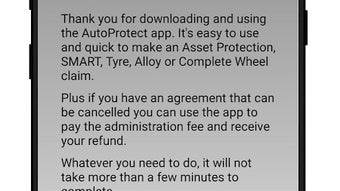
AutoProtect Claims is a mobile application developed by AutoProtect MBI Limited, designed to streamline the process of submitting insurance claims for a range of coverage types. The app supports claims related to SMART (minor damage insurance), alloy wheel insurance, GAP insurance, and tyre insurance, offering users a centralized platform to manage their insurance needs. It also enables users to cancel existing agreements, adding a layer of flexibility to policy management.
The application is accessible on Android devices and is available as a free download, making it accessible to a broad audience. It is intended for individuals who require a simple, fast, and reliable way to initiate and track insurance claims without the complexity of traditional processes. The app is also available via web, allowing users to access their claims from desktop or laptop devices, enhancing cross-device usability.
While the developer emphasizes a user-friendly interface and 24/7 support, specific details on backend infrastructure or data handling practices were not provided. Real-world use cases include post-accident claim filing, routine policy adjustments, and ongoing claim status monitoring.
Key Features & Capabilities
- Multi-Claim Support: The app allows users to register claims for multiple insurance types, including SMART, alloy wheel, GAP, and tyre insurance, reducing the need for multiple platforms.
- Claim Cancellation: Users can initiate the cancellation of active insurance agreements directly within the app, simplifying policy management.
- Real-Time Claim Tracking: The application provides a feature to monitor the status of submitted claims at any time, improving transparency and user control.
- 24/7 Support Access: The developer claims that the claims team is available around the clock, ensuring timely assistance for urgent inquiries.
- Web and Mobile Access: The app is synchronized with a web version, enabling users to switch between mobile and desktop devices without data loss.
These features are particularly useful for users who experience minor vehicle damage or need to manage insurance policies with varying coverage types. For instance, a driver involved in a minor collision can quickly file a SMART claim using photos and details directly through the app. Similarly, someone with alloy wheel damage can submit a claim without visiting an office. The integration of web access ensures that users can begin a claim on their phone and complete it on a PC, enhancing workflow continuity. The app’s focus on simplicity suggests it is optimized for users with minimal technical experience, minimizing the learning curve.
User Interface, Workflow & Performance
The user interface of AutoProtect Claims is designed with simplicity in mind, aiming to reduce friction during claim submission. Navigation appears to be linear and intuitive, with clear sections for claim types, form filling, document uploads, and status tracking. The workflow is structured to guide users step-by-step through the process, which helps prevent errors and ensures completeness.
While specific details on UI layout or interaction design are not available, the emphasis on ease of use suggests a minimalistic approach with large touch targets and straightforward labels. The app’s performance is expected to be efficient, given its mobile-first design and focus on speed. However, exact performance metrics such as CPU or RAM usage were not specified by the developer.
The developer did not provide additional system requirements or stability reports. General software behavior patterns suggest that the app should function smoothly on modern Android devices, but users with older hardware may experience variability. The app’s lightweight size of 25.5 MB indicates it is optimized for low-resource environments, which supports efficient performance on entry-level smartphones.
Compatibility & System Requirements
AutoProtect Claims is available exclusively for Android devices, with the current version listed as 1.2.0. The application has a file size of 25.5 MB, indicating a compact footprint that should not strain storage on most mobile devices. The developer did not specify minimum Android version requirements or hardware specifications such as RAM or processor type.
As a result, compatibility details are limited to the platform level. Users should ensure their device is running a supported version of Android, though the exact version range is not disclosed. The app is also accessible via a web platform, allowing users to interact with it on PCs and laptops.
However, information about web browser compatibility or system requirements for desktop access was not provided. The lack of detailed system requirements means users should proceed with caution on older or less common devices. The developer did not mention support for iOS or other operating systems.
Pros and Cons
Pros
- Free to download and use, making it accessible to a wide audience.
- Supports multiple insurance claim types in a single app.
- Offers 24/7 access to claims support, improving response times.
- Provides cross-device access via web and mobile platforms.
- Designed with a simple, intuitive interface for non-technical users.
Cons
- Compatibility with older Android versions is not confirmed.
- No information on data privacy or security protocols was provided.
- Performance on low-end devices is unverified.
- Limited to Android; no iOS or desktop-native version available.
- Exact system requirements were not disclosed.
FAQ Section
Is AutoProtect Claims available for iOS devices?
The app is currently only available for Android. There is no official iOS version or native app for Apple devices.
Is the app secure and safe to use?
While the developer states the app is secure and reliable, specific details on encryption, data storage, or compliance with privacy standards were not provided.
How often are updates released?
Version 1.2.0 was released on April 15, 2024. The update frequency is not specified, but users can expect improvements and bug fixes through future releases.
Can I use the app offline?
It is unclear whether the app supports offline functionality. Users may need an internet connection to submit claims or access claim status.
What kind of license does the app have?
AutoProtect Claims is offered as a free tool with no subscription or premium tiers currently advertised. The license type is not specified in the provided information.
Final Thoughts + CTA
AutoProtect Claims presents a straightforward solution for individuals managing various insurance claims through a single mobile platform. Its multi-claim support, web integration, and emphasis on simplicity make it a practical choice for users seeking an efficient way to handle insurance matters. While the lack of detailed system requirements and security disclosures limits full transparency, the app’s lightweight design and free access enhance its appeal.
The 24/7 support and cross-device availability further strengthen its usability. For drivers and policyholders dealing with minor vehicle incidents or routine insurance adjustments, this app offers a convenient alternative to traditional claim processes. It is particularly well-suited for users who value speed, accessibility, and ease of navigation.
Download AutoProtect Claims now to streamline your insurance experience.





.png)

